
TRADE CALCULATOR TOOL HERE
🌿 GAG CALCULATORS • FREE TRADE CHECKER
Grow a Garden Trade Calculator
Build both offers, compare estimated community values, and check whether a trade looks like a Win, Fair, or Loss before you accept.
ⓘ
Value transparency: This calculator starts with no unverified market prices. Enter values you trust, or import your own researched pet/item value list. Trade values fluctuate; the result is an estimate, not a guarantee.
You Give
Items you're trading away0
You Get
Items you'll receive0
YOUR TRADE RESULT
ADD ITEMS
Add values to both sides to see the comparison.
Value difference—
Difference %—
LOSSFAIRWIN
📚 Manage searchable item values Optional • for faster comparisons
Paste a JSON array of your own verified community values. Example: [{"name":"Example Pet","category":"Pet","value":150,"updated":"2026-10-19","source":"Your source URL"}]
0 saved items
Values are stored in this browser only. For a public site-wide catalog, publish verified values inside the GT_DEFAULT_LIBRARY array in this HTML code.
🕘 Saved trade history 0 trades
How Does the Grow a Garden Trade Calculator Work?
The Grow a Garden Trade Calculator compares the estimated values of pets or items offered by two players. It adds the values on each side and shows the difference, so you can understand which offer is worth more according to the numbers entered.
Start by adding the pets or items you’re giving away. Then enter everything you’ll receive in return. The Grow a Garden Calculator totals both offers and provides a WFL result based on its fairness settings. You can also change item values or quantities to explore different trade combinations.
The result is a helpful guide rather than a guaranteed trading price. Pet demand, rarity, weight, mutations, and availability can influence what other players are willing to offer. Checking recent community values alongside the calculator can give you a more complete picture.

The Process
How to Use the Grow a Garden Trade Calculator
Add your pets or items to You Give and You Get, enter their estimated values, and instantly check whether your trade is a Win, Fair, or Loss (WFL).







Why Use It
Why Use the Grow a Garden Trade Calculator?
Not every trade can be judged by the number of pets involved. One rare pet might attract a stronger offer than several common pets, while another Pet Weight Calculator may be valuable because of its popularity or limited availability. Comparing estimated values helps you look beyond the size of an offer.
Our calculator keeps both sides of a trade organized in one place. Instead of adding several values manually, you can review the totals and see the difference immediately. It’s particularly useful when a trade includes multiple pets or when you’re deciding between two different offers.
The WFL result also makes negotiations easier. If an exchange appears unbalanced, you can adjust the items and check again. You still make the final decision, but you’ll have a clearer understanding of the numbers before agreeing to anything.
Where it is useful
Where Is the Trade Calculator Useful?
Where it is useful
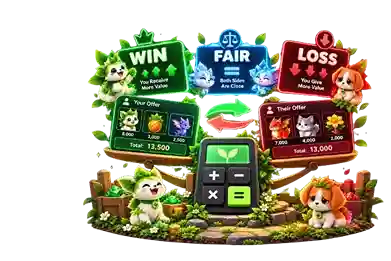
Understanding Win, Fair, and Loss Results
A WFL result is a quick way to describe how the estimated values on both sides compare.
FAQS
Enter the pets or items you’re giving in one section and the items you’ll receive in the other. Add their estimated values and quantities. The calculator compares both totals and shows the value difference along with a WFL result.
WFL stands for Win, Fair, and Loss. These labels help players describe whether a trade offers more estimated value, roughly equal value, or less value than they’re giving.
Weight can influence interest in certain pets, but it doesn’t determine one fixed trading price. Rarity, mutations, demand, and availability may also matter. You can use our Grow a Garden Pet Weight Calculator to explore projected weight at different ages.
Yes. You can use the calculator on GAG Calculators without paying. It helps you compare estimated trade values directly in your browser.